Tree survey app for arborists
Stop typing tree data
twice.
LogLog replaces the clipboard-and-spreadsheet shuffle. Mark trees on your site plan, record species and DBH, snap photos — export the report. All from your phone.
The tree survey workflow is broken.
The old way
Print the site plan, mark it up by hand. Then photograph the markup. Then hope you can read your handwriting later.
With LogLog
Tap to place trees on your actual site plan. No printing, no hand-marking, no squinting later.
The old way
Type everything into a spreadsheet after. Back at the office, squinting at field notes, entering DBH measurements row by row.
With LogLog
Enter it once, on site. Species, DBH, condition — done. Walk away. That tree is finished.
The old way
Photos in one place, data in another. Camera roll full of tree photos. Which one was tree #14? Who remembers.
With LogLog
Photos attach to their tree. Always linked. Always findable.
Four steps. One visit.
Upload your plan before you leave the office. Do everything else on site.
Upload
Load your PDF site plan. Any survey drawing, any scale.
Pin
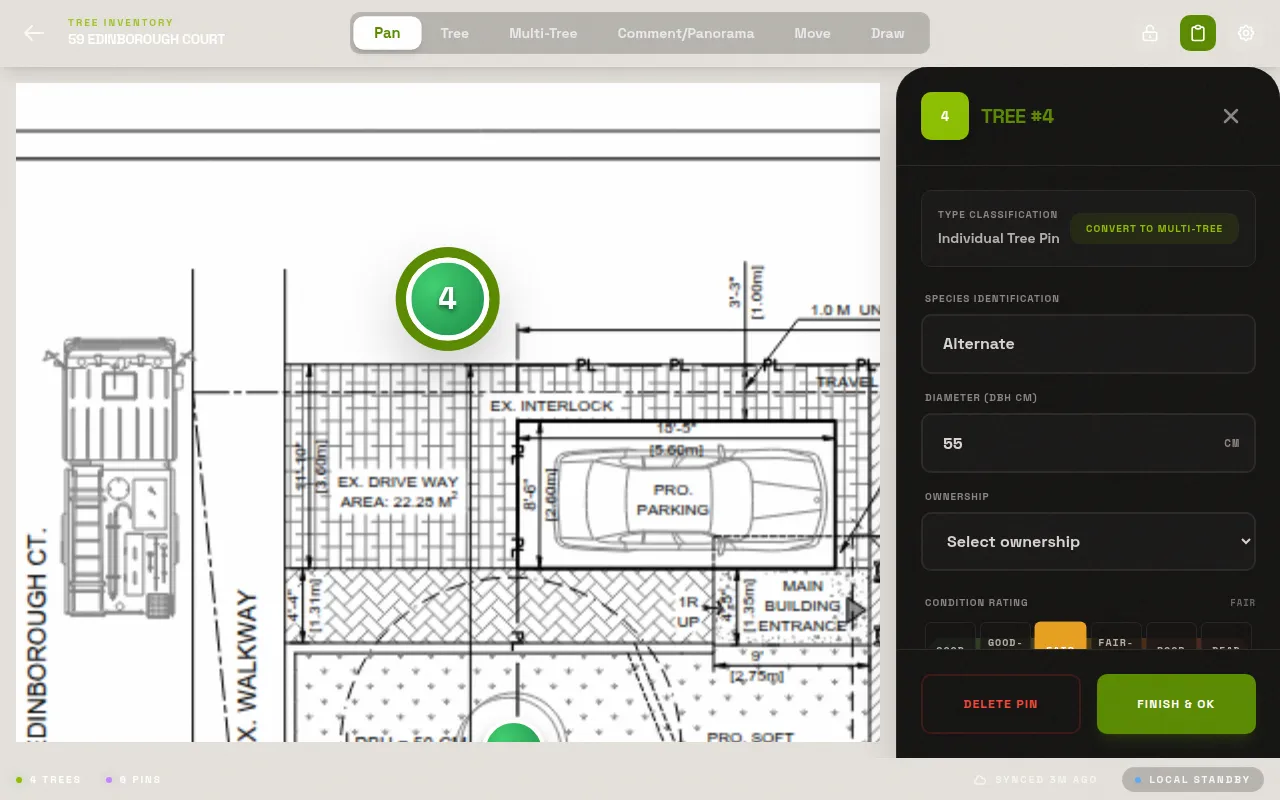
Tap the plan to drop numbered tree markers. Each pin becomes a full record.
Record
Species, DBH, condition, photos, notes. Fill it in once, on site. Done.
Export
One tap: ZIP with spreadsheet, annotated site plan, and all photos. Client-ready.
Upload
Load your PDF site plan. Any survey drawing, any scale.
Pin
Tap the plan to drop numbered tree markers. Each pin becomes a full record.
Record
Species, DBH, condition, photos, notes. Fill it in once, on site. Done.
Export
One tap: ZIP with spreadsheet, annotated site plan, and all photos. Client-ready.
Built for the field.
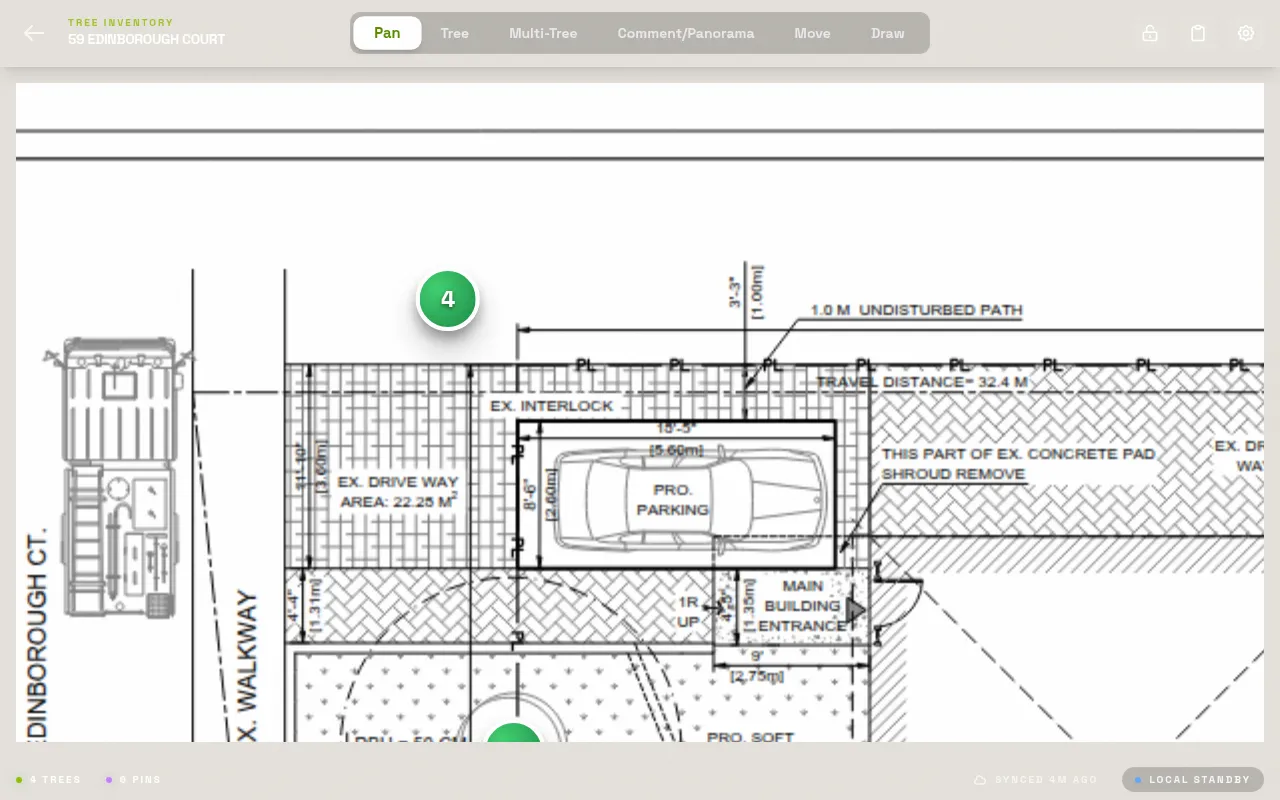
Mark up any PDF site plan
Load your site plan. Tap to drop tree markers. Each pin becomes a full record — species, DBH, condition, photos, notes.
No more
2x
data entry. Record once in the field, export when you're done.
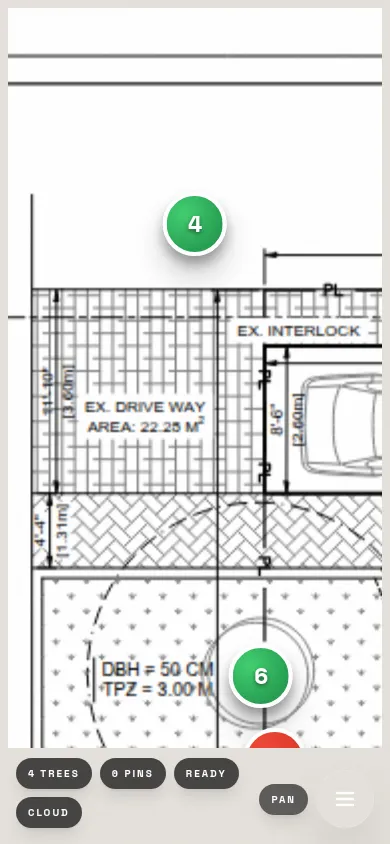
Works offline. Syncs when you're ready.
No cell signal on site? No problem. LogLog stores everything on your device. Data syncs when you're back online.
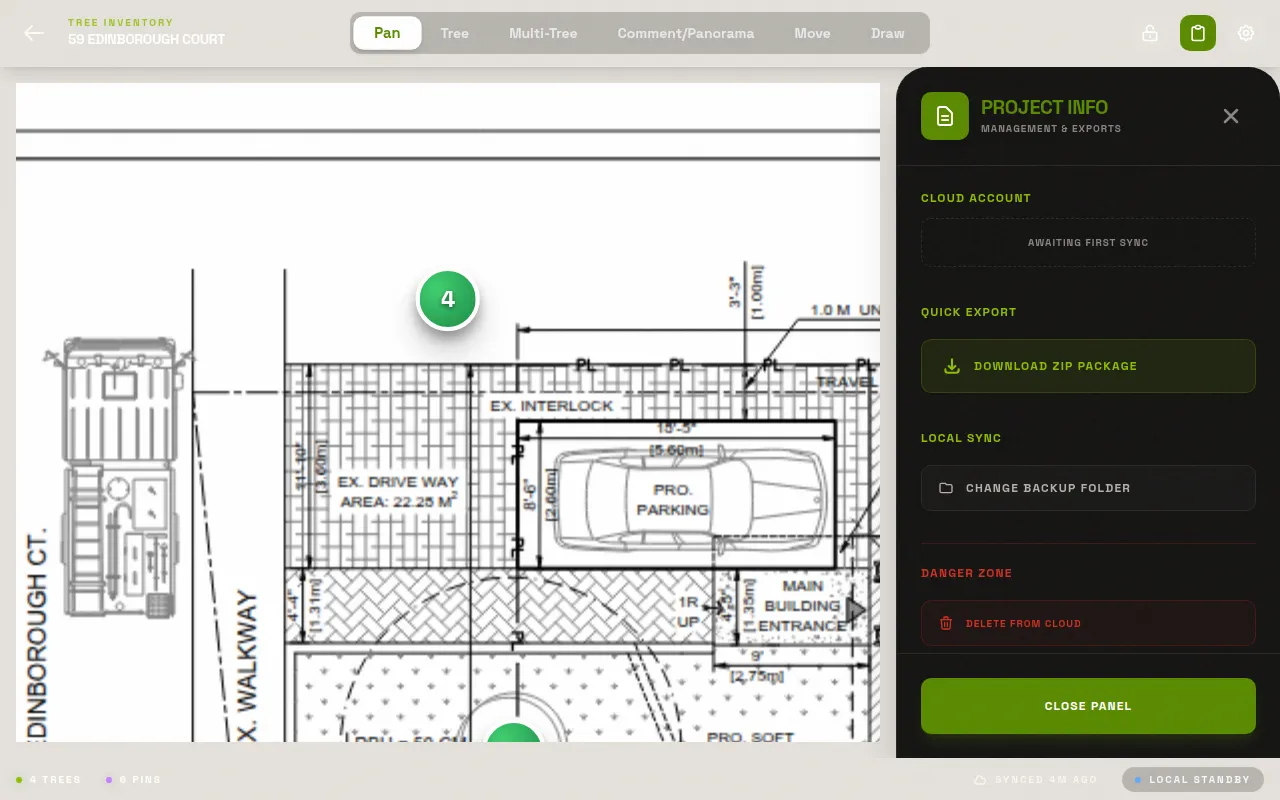
Export what your client needs.
ZIP with spreadsheet, annotated site plan, and all photos. Ready for the client in one tap. Excel, CSV — whatever they want.
From the founder
"I was 147 trees into a 200-tree residential survey. My hand-written field notes were half-illegible. The spreadsheet back at the office was going to take all evening. I thought — there has to be a better way to do this."
After years of printing site plans, hand-marking trees in the field, and then spending evenings re-entering everything into spreadsheets — I built LogLog. The tool I wished existed every time I walked a job site with a clipboard.
It started as a personal workflow fix. Now I want every arborist who does tree surveys to have it. No more clipboard shuffle. No more disconnected photos. Upload your plan, drop your pins, record your data, export the report. Done.
No limits. No credit card. No catch.
Everything you need for solo tree surveys. Works in any mobile browser — no app store needed.
Solo
Unlimited projects & trees
PDF annotation
Photo attachments
ZIP / Excel export
Offline-first — data stays on device
Pro
Coming soonEverything in Solo
Cloud sync across devices
Team collaboration
Admin dashboard & activity log
Priority support
Solo is free now and stays free. Pro adds team features.
Questions
What devices and browsers work with LogLog?
Is my data private? Where is it stored?
How does offline mode work?
What's in the ZIP export?
Is there a limit on projects or trees?
Do I need to create an account?
Can I use LogLog for commercial arborist reports?
Free. No app store.
Open it and go.
Works in any mobile browser. No account required. Start surveying in under 2 minutes.